




Faced with the digital transformation that businesses of all sizes and industries have undergone in recent years, one reality that cannot be overlooked is that no one is immune to becoming a victim of a cyber attack at any time.
For this reason, it is becoming increasingly important to implement strategies and measures that reduce the possibility of such an attack, which jeopardizes the company's reputation, operations, and relationships with customers and suppliers.
{jistoc} $title={Table of Contents}
Main causes of a cyber attack
Due to the digital transformation that companies are undergoing and the massive use of new information technologies, we are increasingly more connected and have access to much more data.
However, despite the advantages that this represents, it has also facilitated more attacks by cybercriminals who are attentive to the vulnerabilities that computer systems may have to take advantage of and cause damage.
Among the main causes that can generate a cyber attack are:
- Vulnerability of computer systems, that is, failures or deficiencies that put assets at risk as they are not effectively protected.
- Accidental disclosure of confidential information by employees.
- Loss and theft of electronic devices that store private company information.
- Bad-intentioned and unscrupulous employees who put company information at risk.
- Gaps or lack of controls by third parties , that is, if they are victims of an attack, cybercriminals can access information from other companies with which they have relationships and find a way to harm them as well.
- Social engineering which in general terms consists of the manipulation of specific people in order to obtain confidential data such as passwords or others of great value and importance to the company.
All these situations can facilitate the materialization of a cyber attack, which can present itself in different ways.
Types of cyber attacks
When we talk about a cyberattack, we refer to offensive and harmful actions against information systems , be it from a person, a company or a government entity. These systems can be computer networks, databases and all assets that store data and confidential and valuable information of the organization.
When committing these attacks, cybercriminals generally seek to affect, alter or destroy not only the reputation of a company or person, but also to negatively impact its operation and the relationship with its different interest groups.
For this reason, it is important to know what the main cyberattacks that can occur are in order to know how to act quickly and intelligently and be able to mitigate the impacts.
The first thing to keep in mind is that these attacks can be both external and internal , yes, in some cases it may happen that an employee voluntarily attacks the company, although most of the time this happens accidentally.
The most common cyberattacks that companies can be victims of are:
1. Phishing and spear phishing
Phishing consists of emails or text messages that appear to be sent by trusted sources and that persuade the recipient to complete an action, open a malicious link, that will put personal or company information at risk.
And spear phishing seeks to obtain valuable data by targeting a specific person or company after gaining their trust. This attack is widely used with well-known companies and individuals.
2. Whaling
They are aimed at managerial profiles such as CEO's or CFO's and other senior positions in organizations with the aim of stealing confidential information to which they have access.
3. Malware
It is a malicious program or code that secretly and silently affects an information system. Malware has the ability to break into, harm and disable computers and other information assets, in other words, through it you can steal and delete data, hijack functions and spy on activities without being noticed. Some malware are ransomware , Trojans, and spyware.
4. Ransomware
Also known as data hijacking, it consists of the blocking, by a hacker, of an electronic device and the encryption of the files so that the owner user cannot access the stored information and data.
5. SQL injection
It is a web attack that consists of the infiltration of malicious code that takes advantage of errors and vulnerabilities in a web page. It is used to steal databases, manipulate or destroy information.
Other attacks or cyber threats that can occur are: distributed denial of service (DDoS) attacks, Trojans or password attacks.
Consequences of suffering a cyber attack
Undoubtedly, one of the main consequences of being a victim of a cybercriminal is the impact on the company's reputation , since this is based on trust, which can be diminished when it becomes known that an attack of this type has been suffered.
But this is not the only impact generated by a cyberattack, others, just as important, are:
- Cessation of activities or delays in the production processes or provision of services because the systems are blocked, there is kidnapping of information and they must focus on the rescue to be able to operate normally.
- Economic effects. On the one hand because criminals can demand large amounts of money for the rescue of the information, that is, the company is the victim of extortion, and on the other hand because business expenses increase since, in order to solve the problem, many times, accompaniment and technological and legal advice from experts is required.
- Loss of customers and suppliers. It is related to the damage to the reputation and image of the company, since audiences such as these can stop trusting the company that was the victim of a cyberattack since they see that it is vulnerable and can also put them at risk.
What to do to prevent a cyber attack?
To prevent the materialization of a cybernetic threat or risk, first of all it is key to implement training and awareness strategies on computer security and cybersecurity for the organization's employees , considered the weakest link in the chain.
It is essential to do this consistently and effectively to ensure that everyone understands the importance of making good use of the assets and information to which they have access, as well as being careful with the passwords they use and being alert to possible cases of phishing, malware or other attacks.
In addition to this, companies must be prepared to avoid a cyber attack , that is, have tools and develop practices that allow them to detect vulnerabilities and weaknesses in their systems in time to correct them in time, for example, ethical hacking .


In this digital era, cyber security is one of the security practices that must be mastered by everyone who uses the internet.
Because nowadays everyone is very dependent on technology to carry out their daily activities. Be it individuals, companies, or even government institutions.
Technology and the internet are used to transfer data, find information, communicate with other people, and store important data on various devices.
Well, cyber security is useful for ensuring that all activities and data on the internet are safe and protected from various types of cybercrime.
If you want to know more about what cyber security is, you're in luck! In this article, we will discuss the meaning of cyber security, its elements, and examples of threats.
{jistoc} $title={Table of Contents}
What is Cyber Security?
As previously mentioned, nowadays almost everyone, be it individuals or organizations, is dependent on technology and the internet.
Unfortunately, almost all systems and networks on the internet have security holes that can be easily exploited by hackers.
That is why implementing effective cyber security is a must to increase the level of system security and reduce the risk of cyber threats.
Cyber security is a practice that aims to protect a device, network, program, and data from all kinds of dangerous digital attacks.
Cyber security practices include installing firewalls, data backups, multi-factor authentication and so on that can prevent cybercriminals from entering your system.
Cyber security is a field that continues to change and develop from time to time influenced by the rapid advances in technology and cybercrimes today.
The success of cyber security practices is much influenced by how strong the defense system that you implement on the system and network is.
The best way to ensure that you will always be protected is through multiple layers of protection. Of course, this will ensure the security of your data and systems on the internet.
Cyber Security Concepts
Cyber security follows the practice of the CIA Triad as its basic concept. This concept includes confidentiality, integrity, and availability.
The following is a brief explanation of each of these concepts:
Confidentiality — as the name implies, confidentiality is an attempt to keep information and data secret so that there is no theft or data leakage.
Integrity — integrity ensures that all data and information provided is consistent, accurate, and reliable.
Availability — as the name implies, availability is when existing data and information can be accessed smoothly and easily without hindrance.
Cyber Security Elements
To run cyber security effectively, there are several important elements that need to be considered. Here are some of them:
- Application Security
- Network Security
- Information Security
- Operational Security
- Disaster Recovery Planning
- End-User Education
Benefits of Cyber Security
Cyber security brings benefits to both individuals and companies. Among others are:
- Protection of sensitive data — all your data can be better protected from identity theft threats.
- Maintain productivity — with cyber security, your systems and networks are protected from malware and other threats, so you can work more productively and safely.
- Shorter recovery time — even if you experience a data breach or other disruption, you can speed up the recovery process and prevent multiple losses.
- Build customer trust — with a strong security system, customers will not worry if their sensitive data is exploited by hackers and will be more confident to choose your product/service.
Types of Threats to Cyber Security
Cyber attacks take many forms, including:
- Phishing — attackers attempt to steal sensitive data from victims by impersonating legal institutions and contacting them via email, phone, or text message.
- Malware — programs or files created to exploit or damage your device, server, or network.
- Ransomware — a type of malware designed to lock your files or device and then charge you a ransom.
- Social Engineering — perpetrators exploit psychological aspects of victims and encourage them to provide personal information and access to their devices.
Conclusion
In short, cyber security is an effort made by individuals, businesses, or institutions to minimize threats and risks from various cyberattacks.
The step is to provide stronger protection for your device or service, so that it can continue to operate properly without any interference from hackers.


The term Internet of Things or IoT has been in the digital landscape for several years. Recent technological advancements have made it more relevant.
60% of the world's population is connected to the internet in some way. The trend continues to rise, with an increasing number of smart devices capable of connecting to the network.
{jistoc} $title={Table of Contents}
What is the Internet of Things/IoT
Internet of Things consists of everyday household devices that can connect to the Internet.
Devices capable of making this connection are often called “Smart” or “intelligent”. The most obvious case is smartphones, but Smart TVs are also very common in homes.
The Internet of Things allows communication between the different devices in your home and your digital devices. The IoT can also be applied to other areas besides the domestic one. In fact, it is now being used in fields such as medicine and industry.
How the IoT works
The Internet of Things works by utilizing a programming instruction where each argument command can produce an interaction between devices that are connected to each other automatically without human intervention.
Even over long distances, the internet can be a link between the two device interactions. Meanwhile, humans only serve as direct regulators and supervisors of the work of these devices.
The biggest challenge in the world of the Internet of Things is building its own communication network, which is a very complex network and requires a strict security system. In addition, expensive operational costs are often the cause of failures that lead to production failures.
Internet of Things for companies
This technology isn't just useful for making the home more comfortable and efficient. It is also applicable in the business sector, and there are several success stories where IoT technology has been applied in various business areas.
The Internet of Things represents a vast improvement in industrial machinery and devices and allows better relationships with customers, suppliers and partners.
It is necessary to consider that the volume of data generated by devices with Internet of Things in the business environment is much higher than what can be generated at home, necessitating the need for a good Data Warehouse infrastructure to manage Big Data.
Likewise, ensuring secure IoT systems against data theft and other cyber attacks is a key aspect of the business Internet of Things.
- Internet of Things in Industry: This technology can be used to perform predictive maintenance on machinery. In other words, the machine itself can detect the state of its parts using sensors and later notify when changes or repairs are required.
- Internet of Things in Agriculture: Currently, humidity sensors are widely used to automate irrigation systems and make the use of water and energy in agriculture much more efficient.
- Internet of Things in Transport and Logistics: It is possible to track shipping containers and their movements through the use of IoT. In this way, checking the situation and the status of the shipments is much more specific. The sensors of the facilities are no longer necessary because it is the containers and packages themselves that send the information continuously.
- Internet of Things in Medicine: The Internet of Things can be added to medical machineries such as nebulizers, X-ray machines, defibrillators, and even wheelchairs. These connected devices keep patients and doctors in contact, always with up-to-date information on the state of health and facilitate monitoring even once the patient has returned home.
- Internet of Things in the Retail sector: Using IoT technology, physical stores will be able to offer different spaces, more intended for entertainment than for shopping, and also obtain a large amount of data about customers and their needs, allowing them to provide better products and customer service.
Doubts about the Internet of Things
Cybersecurity is a very current concern, and the Internet of Things, like every new step in technological progress, causes reluctance in many people.
- Isn't it dangerous that all our information is in the cloud?
- How do we guarantee privacy if each of the devices in the house stores information about us and our habits?
- Will companies be able to access our private information?
These are all the common doubts about the Internet of Things. Of course, a fully connected environment will require specific legislation that guarantees users' right to privacy and companies must offer maximum security for data in the cloud.
Currently, guaranteeing the security and privacy of the information collected by smart devices is already one of the main concerns of companies that offer devices with the Internet of Things.
Like everything else, the Internet of Things is a technology that has its advantages and disadvantages. However, it has undeniably great utility in many fields and opens the door to a more comfortable and automated life.

Various cybersecurity attacks continue to grow in quality and quantity from time to time. The danger is that anyone can be the target of these threats, including you.
To anticipate it, you need to equip yourself with multiple layers of security. And one of the best options is to use a VPN.
{jistoc} $title={Table of Contents}
What is a VPN?
A virtual private network (VPN) is a tool that helps you connect to the internet via an encrypted and more secure connection.
By using a VPN, all your online activities will not be seen by anyone, be it hackers, government institutions, or even the internet service provider (ISP) you use.
Whenever you access a site or online service, your device will be connected to a server belonging to the VPN service provider.
This server then hides your IP address and provides a replacement IP address. Therefore, the identity and location of your device can be protected and cannot be tracked by any party.
VPN Protocols
Interestingly, the VPN service also provides various VPN protocols options that you can choose manually according to your needs. Some of them are as follows:
- OpenVPN
Most VPN services use OpenVPN as the default protocol. Apart from having a stable connection, this protocol also offers the best level of encryption and is compatible with various devices and operating systems. OpenVPN also has optimal performance for remote connections.
- IKEv2 (Internet Key Exchange version 2)
works very well for short-distance connections. Amazingly, this protocol is equipped with the ability to switch your network automatically if suddenly your connection is lost. IKEv2 is also a fast, stable, and reliable protocol for streaming various online media.
- L2TP (Layer 2 Tunneling Protocol)
usually combined with the IPSec protocol to produce a secure and stable connection. This protocol can also be relied on for streaming your favourite online media.
- PPTP (Point-to-Point Tunneling Protocol)
Although it has a fairly fast and stable connection, PPTP is not equipped with reliable encryption. This protocol is not the right option for those who prefer the security aspect.
- SSTP (Secure Socket Tunneling Protocol)
has promising performance on Windows devices. However, this protocol is not highly recommended for online media streaming.
What Are the Benefits of a VPN?
Having learned what a VPN is, let's now discuss some of the benefits it has:
1. Privacy is More Protected
You get the freedom to access the internet in an anonymous mode so that no one will be able to track your online activities.
With strong encryption, all your data will not be exploited by any party and will be protected from the threat of identity theft, including when accessing the internet using public wifi networks.
2. More Guaranteed Performance
Without a VPN, other parties (including ISPs) can control and slow down your connection because it is considered to have crossed a predetermined data usage limit.
Whereas with a VPN, other people will not be able to know what content you open on the internet, thus preventing them from interrupting your network.
3. Accessing Blocked Content Easily
You no longer have to worry about geo-restrictions or censorship that stop you from accessing various content on the internet.
This is because a VPN helps you change the location of your device by taking advantage of spoofing technology, making it appear as if you are connecting from another country.
4. Improve Connection Security
Without a doubt, a VPN can strengthen the security of your network. Besides being equipped with reliable data encryption, VPNs also come with malware filters.
As a result, you can access online banking or make other transactions safely; without worrying if your account information and sensitive data will be stolen by cybercriminals.
5. Ease of Remote Access
If your company enforces WFH, a VPN makes it easy for you to open and transfer company data from any location.
A VPN also guarantees that your information remains protected and will not be exploited by any party.
Things to Consider When Choosing a VPN Service
Interested in using a VPN? First, consider some crucial points that you need to pay attention to before choosing a VPN service.
1. What Protocol Options Are Provided?
Make sure the VPN service you choose provides the best protocol technology to ensure the protection of your connection. As a recommendation, you can choose a service that offers the OpenVPN protocol, which is equipped with stronger security features than other protocols.
2. Free or Paid?
Of course, always adjust to the budget you have. The good news is that many VPN services also come with a free version. Among them are Avira Phantom VPN, Kaspersky VPN Secure Connection, Speedify, and Hotspot Shield VPN.
But keep in mind that the free version may have slower performance and have very limited features. Some free VPNs will also display advertisements that can interfere with your convenience, or even secretly sell your data to other parties.
3. Where is its Server Location?
Keep in mind that server location is a key factor affecting your network speed. The closer the server's physical location is, the faster your connection will be to access the internet.
In addition to the location, also find out the number of servers provided. The more servers a VPN service has, the lower the chance that the service will be overloaded or down. As a recommendation, choose a VPN service with at least 1000 servers.
4. Is it compatible with your device?
Equally important, find out whether the VPN service you choose supports the operating system you are using or not. Then if you plan to use the VPN on multiple devices (including mobile phones), make sure that the service supports connecting to multiple devices at the same time.
5. Does the Service Respect Your Privacy?
Most VPNs do claim that they enforce a no-log policy or won't log your activity. But there's nothing wrong if you read their privacy policy carefully to make sure that they really respect your privacy.
Conclusion
A VPN is a functional tool that offers an additional layer of security to your device. With its ability to mask IP addresses, you can surf the internet anonymously without worrying that your privacy will be exploited by others.
You can get many benefits from a VPN service, such as protection of remote data access, ease of opening blocked content, keeping your network performance stable, etc.
But before deciding on the best VPN option for your device, make sure the service fulfils the following:
- Provides reliable protocol.
- Have a price that fits your budget.
- Have a physical server location not far from you.
- Can be used on various devices.
- Have a privacy policy that will not harm you.


If you have been working in the field of information technology and cyber security for a while, you would already be familiar with the terms hacker and hacking.
In a nutshell, hackers are people who break into other people's computer systems without their permission. The term "hacker" typically has a negative connotation.
However, there are ethical hackers who assist businesses in identifying flaws in their websites.
Even so, it never hurts to be cautious in order to keep your website or server safe from attacks.
You don't want to be a victim of a malicious black hat hacker, do you?
This article will cover some of the most common hacking software used by hackers.
{jistoc} $title={Table of Contents}
Types of Hackers
Here are the types of hackers that are often encountered on the Internet:
- Ethical hacker/White hat hacker— a hacker who gains legal access to a system to test and fix any vulnerabilities present in the system.
- Black hat hacker — a hacker who accesses a computer system without permission. The aim of a black hat hacker is usually to steal data, get money, etc.
- Grey hat hacker — this type is between ethical and black hat hackers. Grey hat hackers look for weaknesses in a system and offer solutions to the system's owner in the hope of getting a reward.
- Script kiddies — this type of hacker is usually a new hacker who is not very reliable and only relies on other people's code to carry out his hacking mission.
8+ Common Hacking Software Used by Hackers
Here is a list of some of the best hacker software that you should know:
1. Acunetix
Acunetix is a cyber security application which is used to scan web application vulnerabilities.
This application will identify security vulnerabilities from javascript code, HTML5, etc., to find security vulnerabilities on your system.
Acunetix is usually used by ethical hackers to stay one step ahead of malicious hackers.
2. Hackode
If you want to test an operating system made by Google (like Android), this application has many features that you can use to find weaknesses in the OS.
Some existing features include Google Hacking, SQL Injection, MySQL server, WhoIs, DNS lookup, DNS Dif, Security RSS Feed, Exploits, etc.
Thanks to its versatility and multifunctionality, hackode can be used by both beginners and professionals. For those who are just learning hacking, this app is perfect!
3. Lucky Patcher
If you are looking for a hacker application based on Android, Lucky Patcher can be the right choice. This application is usually used to make paid applications free.
In addition, this application is also commonly used to create new application files to create phishing ads and remove existing ads in an application.
To use the lucky patcher application, you must have root access to your smartphone system.
4. Netsparker
Netsparker is a security scanner service that helps web developers find security gaps that exist on a website.
But unfortunately, this service is often misused by hackers to break into websites with weak security.
Netsparker is a very useful hacker software because it can test errors found on a website.
Netsparker also offers a free version that can be used to analyze several websites. With this feature, hackers can easily see weaknesses and break into websites.
5. Termux
Termux is an Android application that functions as a terminal emulator for the Debian Linux-based operating system.
The main function of this application is to enter, display and print data on the Linux operating system directly from your Android device.
With Termux, hackers can run programming languages such as Python, Perl, and Ruby and use SSH clients without having root access.
Termux can be used to hack wifi networks, speed up internet connections, and make your smartphone internet network more stable.
6. Traceroute NG
This software allows you to analyze network paths and identify IP addresses, hostnames, and lost packages via a command-line interface.
With Traceroute, you can analyze network paths and connections from one system to another. Usually, this software is used to perform network diagnostics.
In addition, this software can also be used to exploit IP packet headers known as TTL or Time-to-live.
7. Burp Suite
Burp Suite is a java-based framework that is used to perform system and application testing.
This tool is widely used by professionals to identify vulnerabilities and attacks affecting web applications.
Burp Suite is also commonly used by ethical hackers to check and fix vulnerabilities in a system.
8. Ettercap
Ettercap is a hacker tool that is often used by ethical hackers. The tool supports active and passive feature dissection for network and host analysis over multiple protocols.
Using Ettercap, you can carry out attacks against the ARP protocol by acting as a "middleman" who can infect, replace, or delete data on a connection.
In addition, it can also be used to view passwords on protocols such as FTP, HTTP, POP, and SSH.
Ettercap also has many plugins that can perform other attacks such as DNS spoofing.
9. WebInspect
WebInspect is one of the best software that are generally used by hackers.
The main function of WebInspect is to provide a comprehensive analysis of a complex web service.
You will be given a complete report about the website that you are analyzing, starting from the website's performance to the existing security weaknesses.
The WebInspect software allows hackers and security analysts to hack ethically and correct system weaknesses.
Conclusion
Those are some of the hacking software often used by hackers.
Although hacking does have a negative connotation, hacking can also be used to ensure the security of a system.
If you want to learn how to become an ethical hacker, the software listed above might help you get started.


Anyone can be a target of cybercrime threats; be it individuals, companies, or governments.
As a matter of fact, well-known technology companies such as Google, Yahoo, and Apple have also been victims of various cyber-attacks.
Let's understand more deeply what cybercrime is, its impact, as well as some of its categories and types. I hope that by understanding
You will be able to better understand the dangers of this threat to your device or network, then be able to take all precautions to always be protected when using the internet.
{jistoc} $title={Table of Contents}
What is Cybercrime?
Cybercrime is a criminal act carried out by cybercriminals, hackers, or cyber crooks via the internet, and targets personal computers, networks, and devices on the network.
These illegal actions can be carried out by individuals or by organized groups. Some cybercriminals are even very professional groups, have good technical skills, and can use sophisticated attack patterns.
There are several motives that usually underlie this cybercrime action, including:
- Earn some money; either by extorting victims directly or by selling the data they have stolen to certain parties;
- Damage or disable the victim's device or network. It could be that the perpetrators want to sabotage their competitors to win the business competition;
- Not infrequently, hackers are part of a political group or are contracted by election candidates to manipulate voting results or take other actions to achieve political goals;
- Sometimes, cybercrooks challenge themselves to be able to penetrate the digital security of certain companies or institutions. Or, they want to gain status or recognition for breaking through strong cybersecurity systems;
- It is undeniable that cybercrime is often an inseparable part of cyberwar/cyberwarfare between one country and another.
Negative Impact of Cybercrime
Cybercrime can cause a bad influence on the victim. Some of them are:
1. Financial Losses
McAfee, in their report entitled “The Economic Impact of Cybercrime—No Slowing Down”, released that cybercrime has caused losses of up to $600 billion (USD) worldwide. The report also states that cybercrime is the third biggest threat to the world economy after corruption and narcotics.
2. Damaging Reputation
Cybercrime can result in the loss of trust from customers, investors, and other companies in a brand. In the end, victims will find it difficult to get new customers and suffer financial losses that are not small.
3. Loss of Important Data
Without a doubt, cybercrime is a major threat to the security of corporate and customer data. The bad news is, customers can sue you for the loss or leak of the data. Not only that, but you can also be subject to fines and penalties from the relevant authorities.
Types and Categories of Cybercrime
Referring to the US Department of Justice (DOJ), cybercrime is divided into three categories, namely:
- First, the computer as the object of cybercrime. In this category, cybercriminals will infect the target device with malware to disable it or steal data.
- Second, the computer as the subject of cybercrime. Here, the perpetrator will turn the target device (another user) into a subject to carry out cybercrime, for example, launching a DDoS attack.
- Third, the computer as an instrument or tool to commit crimes. For example, hackers use computers to store stolen data or other illegal data.
The several types of cybercrime are as follows:
1. Identity Theft
Identity theft is the act of cybercriminals accessing your sensitive data. For example, the perpetrator steals your credit card information, then uses it to make certain transactions. In other cases, the perpetrator will also sell your personal data over the internet.
2. Hacking
Hacking refers to the actions of hackers accessing your device without your knowledge or permission. After successfully logging into your system or network, the perpetrator will then carry out various other criminal acts.
3. PUPs (Potentially Unwanted Programs)
Once upon a time, you installed an application/software that was downloaded from the internet. But apparently, you find that some unwanted programs are also installed. These additional programs are called PUPs. The danger, PUPs can be in the form of spyware or adware which is very dangerous.
4. Illegal Content
Sharing illegal content on the internet is also a cybercrime. Some examples of illegal content include pornography, terrorism, acts of violence or crime, child abuse, hoaxes, and other types of content that violate the law, violate norms, and disrupt public order.
5. Cyberstalking
Cyberstalking (or online stalking) is the act of cybercriminals to harass, intimidate, or frighten their victims by monitoring their activities on the internet. In addition, cyberstalking also includes the actions of the perpetrator making false accusations, threatening, insulting, or disturbing the victim through social media, email, or certain forums.
In addition to these five things, several other types of crimes such as phishing, cyberextortion, cryptojacking, and software piracy are also included in the type of cybercrime.
Protect Yourself from Cybercrime Threats!
After learning what cybercrime is and its negative effects, you will now understand more and more how important it is to protect your device and data from these threats.
Although efforts to eliminate all cybercrime attacks are quite difficult and arguably impossible, you can at least take the following precautions:
- Never download any files or programs from untrusted sites;
- Avoid clicking on links or downloading attachments received from suspicious senders;
- Use a strong password. You can take advantage of a password manager tool that is supported by a password generator—a feature that can help you create unique and strong passwords for each account;
- Maximize two-factor authentication (2FA) to provide your account with multiple layers of security;
- Arm your system and network with the latest security patches and software updates;
- Backup your data regularly to prevent loss or damage to your data;
- Always be careful when using public Wifi. It's a good idea to use a VPN to encrypt your data;
- Install anti-virus or anti-malware software to scan, detect and remove any cyber threats on your device;
- Do not provide your sensitive data, unless you have researched and confirmed the identity of the requesting party.

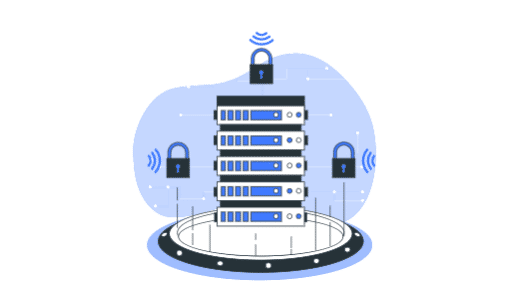
The server is an important component in the development of a website or application. As an active user of computer resources, you must have heard of the server.
Do you know what a server is and its role in the world of networking? If not, you've come to the right article.
This article will explain the meaning of server, its types, and how it works.
{jistoc} $title={Table of Contents}
What is a Server?
A server is a supercomputer with a special operating system called a network operating system which is designed to store various forms of data.
The data stored on the server is in the form of complex digital information and documents.
In addition to being a place to store data, servers also play an important role in providing access for clients (users of other computer devices). The server process requests and sends data to clients via the internet or local network.
In addition, the server can also run various administrative software and control the use of various resources on it. Examples are printers and access to workstations for network members.
There are two forms of servers: hardware servers and virtual servers.
A hardware server is physically in the form of a large computer network. It is equipped with several supporting components such as a scalable processor and super large capacity RAM.
As technology advances, servers have evolved into more than just software that runs on one or more computer devices. This is why we have the virtual server.
Initially, virtual servers were used to increase the number of servers that could operate separately on a single piece of hardware.
Currently, virtual servers are generally run by third parties on hardware by utilizing the internet network and with cloud computing settings.
Server Types
Servers are classified into several types based on their function; they include:
1. Web Server
A web server is a computer program that stores all the data on a website. This type of server handles client requests for website access and displays the requested information on a computer screen.
On this type of server, the client is a web browser, and client requests can be submitted with HTTP or HTTPS communication protocols.
2. Mail Server
The role of a mail server is to assist clients in exchanging electronic messages between computer devices that are still connected to the same network.
The mail server is divided into two types: an incoming mail server and an outgoing mail server.
Mail server communication uses POP3 (Post Office Protocol 3rd Version) and IMAP (Internet Message Access Protocol).
POP3 functions as an electronic messaging protocol to store all messages on the local hard drive. While IMAP is a protocol for storing messages on a mail server.
3. Game Servers
Game servers are used to meet the needs of game developers in developing multiplayer online games. So the game can accommodate many users who access the game simultaneously without experiencing downtime.
This server is made up of two components: internal and external game servers.
The internal game server is a location where data from the user's computer is stored. While the external server is a data storage prepared by the game developer.
4. Application Server
When viewed at a glance, the application server looks similar to a web server because they both provide services to clients using the HTTP protocol.
What distinguishes these two types of servers is their function. The web server is used to create a static website, while the application server is used to execute programs or scripts so that a dynamic application or website can run.
5. Database Server
A database server is a computer network that allows clients to manage data and information on the server in a structured manner. So that the process of searching for information carried out by the client runs quickly.
Its components consist of flat files, relations, objects, and relational-object databases.
In running a database server, users need to understand the query language according to the database.
6. File Server
A file server is a computer network designed to be directly integrated with workstations and handle requests for data stored on a disk.
The data stored on the disk are multimedia files such as pictures, videos, documents, music, etc.
7. DHCP Server
DHCP or Dynamic Host Configuration Protocol is a server that provides IP services automatically to clients, hosts, or computers on a TCP/IP network that make requests.
8. Proxy Server
The proxy server functions as an intermediary that connects the user with the web server and secures the client's IP address when surfing the internet.
9. FTP Server
FTP or File Transfer Protocol is used to provide data access over a single network.
How Servers Work
The way each type of server works is actually almost the same. In simple terms, the server works when there is a request from a client connected to a network.
The only difference lies in the implementation of each server's services, tasks, and functions.
Let's take a detailed example of how a web server works:
- The working process of a web server begins with an internet user who opens a web browser through their computer.
- When internet users type a website address in a web browser, the computer used automatically becomes a client that will send an HTTP request.
- After pressing the search button, the DNS server will find the IP address of the website address that the client wants to visit.
- After the IP address of the website you want to go to is found, the client will connect directly to the web server to request access.
- If the request is accepted, the server will send an HTTP response to the client.
- At this stage, the client will get the desired web page display.
Conclusion
The server is a computer system with large and scalable resources that are used to store digital data and serve client data needs.
Without a server, you will not be found and accessed by clients.


Every website, server, and network on the internet requires a strong protection and security system. Firewalls are one of the best security systems to do this.
As consumers, we will certainly rethink using a product or service from a company whose website is infected with malware, right?
Of course, we will feel worried and afraid that personal data and other sensitive information will be stolen by hackers when using the website to make transactions.
Your consumers will also feel this if your website or online service is not equipped with reliable security and protection, such as a firewall.
If you want to know more about firewalls, this article will cover it.
Let's just get started!
{jistoc} $title={Table of Contents}
What are Firewalls?
Firewalls are security devices that work as a filter system for a network or server.
A firewall is placed between two devices with one device connected to the internet or LAN.
In the case of a web server, for example, a firewall acts as an intermediary between the web server and the many user devices that want to access your website.
So before connecting to the web server, all requests from users will be filtered first by the firewall to determine whether access to your website will be granted or not.
It can be said that the firewall acts as a gatekeeper who monitors and reviews all traffic entering or leaving a device.
This security system will also help you detect suspicious traffic to avoid DDoS attacks.
The firewall will also ensure that your device/server is free from malware.
Why Do You Need a Firewall?
It is undeniable that all devices connected to the internet can become targets of hackers and malware.
Without a strong protection and security system, your device will leave loopholes that hackers can exploit to take over and introduce malware.
That's why you need a firewall as one of the most important parts of your device protection system.
This security program will also help you prevent cybercrime attacks that can harm your company.
To further convince you of the importance of a firewall, understand some of its benefits. Among them are:
- Be at the forefront of security systems by building a barrier between internal and external networks
- Control and manage traffic to and from your device
- Protect your website from DDoS attacks, brute force attacks, malware, and network intrusion attacks
- Validate every incoming access to avoid cybercrimes that want to take over or shut down your network/computer
- Record and report the activity of every user in the network
Firewall Functions
A firewall is a security system that must be used by every computer user. This system has a very beneficial function for computer users themselves.
Here is a brief description of some of the main functions of the firewall!
- Protect from Virus
The main function of a firewall is to protect computers from viruses. This system can filter out viruses or malware that are usually carried by a program or software on your computer or network.
This security system will detect viruses when you install a program; sometimes, there are files from corrupt or damaged software that cause viruses.
The presence of a virus can cause the computer to fail to operate. With the existence of a computer, firewall security can avoid viruses that are quite disturbing.
- Protecting Computers from Illegal Software
The next function that is no less important is to protect computers from illegal software or programs.
The firewall system can detect computer programs that are considered illegal or are usually hacked or modified.
Illegal programs are actually not too harmful to the computer system, but the firewall will still detect it as an error.
- Bandwidth Monitor
Besides functioning to ensure security on the network, the firewall also has other functions. Firewalls can be used to monitor or limit the bandwidth used by the network.
How Firewalls Work
A firewall is a security system on a computer and how it works is related to security itself. The way the firewall works is divided into three, namely:
- Filtering
When a computer system performs activities such as installing software or accessing the internet, the firewall will filter any data or files.
From the filtered data or files, there will usually be corrupt files or data which will later be detected as a virus or an error.
- Retrieving Internet Information
When the computer is used to access the internet, the firewall will take all the information that is there. Then, the information obtained will be forwarded to the data and the system.
- Comparison
All data or information obtained by the firewall will be compared according to the criteria and specifications.
Later, information will appear that can determine whether the activities carried out contain elements that are harmful to the computer or not.
Types of Firewalls
After discussing the meaning and importance of Firewalls, let's review some types of Firewalls that you can choose from.
1. Packet Filtering Firewall
Packet filtering firewall is the most basic and simplest type of firewall. This type helps you analyze packets (data transmitted between the computer and the server).
If a packet does not meet the specified security rules (e.g. originating IP address or a certain port number), then the packet will be automatically blocked.
Unfortunately, the Packet filtering firewall also has weaknesses. For example, you define a rule that traffic is only allowed from certain port numbers.
So, the Packet filtering firewall will allow all visitors from that port number without distinguishing which traffic is suspicious or not.
2. Stateful Firewalls
Unlike Packet filtering firewalls which only check static information, Stateful firewalls monitor all packet activity from the initial process to your network.
This type is also known as dynamic packet filtering because of its ability to analyze dynamic information and filter packets based on State and Context.
In TCP-based connections, for example, there are four control connection states used by the firewall, which are SYN, ACK, FIN, and RST.
While context includes some metadata that Stateful firewalls use when filtering traffic, such as packet length, destination IP address, and others.
3. Network Address Translation (NAT) Firewalls
Simply put, Network address translation firewalls allow multiple devices on a network to use a single public IP address to connect to the internet.
The goal is that the private IP addresses of each device are not detected by external networks and protect them from various cybercrimes attacks.
4. Next-Generation Firewall (NGFW)
Next-generation firewalls offer more advanced security technology than packet and stateful firewalls.
This type offers many additional features that will strengthen the security level of your device—starting from IDS/IPS, URL checking, geolocation, to load balancing.
No less interesting, the Next-generation firewall is also equipped with the ability to detect various forms of threats in just a few seconds.
Not only that, but this type also has antivirus, anti-malware, and sandboxing features that will help you prevent and remove advanced malware quickly.
Apart from these four types, several other types are also available. Among them are:
- Personal Firewall
- Firewall hardware
- Firewall software
- Proxy firewalls
- Web application firewall
- Unified threat management (UTM) firewall
- Cloud-based firewalls
- Firewall as a Service (FaaS)
Conclusion
A firewall is a front-line security tool for a website, server, network, or online service, but firewall alone will not be enough.
You also need to combine it with other security systems such as security plugins, antivirus software, VPN, and content filtering.
In addition, also make sure that your website server or online service is equipped with qualified security features to ward off all threats quickly and precisely.


Some people may think that Linux is an operating system that is difficult to operate because it has to deal with a complex command line. This of course, is not entirely true. If you can understand basic Linux commands, you also have the opportunity to master the command line like a reliable system administrator.
This article will review some basic Linux commands, along with explanations of their functions and examples.
{jistoc} $title={Table of Contents}
List of Basic Linux Commands and Their Functions
To be able to operate Linux, you need to access the shell, which is a text-based interface for writing commands and instructing the computer to perform certain tasks.
This shell or terminal is usually found in the utility menu on the device. However, you can also access it by pressing Ctrl+Alt+T.
After successfully opening the shell/terminal, let's immediately find out some of the most frequently used basic Linux commands!
Keep in mind, all commands must be written in lowercase.
1. pwd
When you want to create, view, or delete files, you need to make sure you're in the right directory, right?
Well, pwd or print working directory will provide information about the active directory you are currently accessing. The result of the command is something like /home/username.
2. cd
If the directory you are accessing at that time is not correct, you can use the cd (change directory) command to change or open a specific directory.
For example, you are in the Home directory and want to access the Downloads folder. Well, you just need to write the command cd Downloads.
3. mkdir
The mkdir (make directory) command is used to create a new folder or directory. To add to the Movies directory, for example, you could write mkdir Movies.
In addition, you can also create directories in other existing directories. To do this, type the name of the old directory followed by the new directory, such as mkdir Movies/Actions.
4. rmdir
If you want to delete a directory, you can use the rmdir command. But please note, this command can only delete directories that are still empty.
Alternatively, you could also write rm -r to get the same functionality as rmdir.
But keep in mind, you need to be careful using rm -r. Make sure you have written the folder/file name after the rm -r command (example: rm -r Movies/Actions).
If you forget to include the name of the folder/file, then what happens is that you will delete the entire directory on the server.
5. rm
If you want to delete a directory and all the files in it, you can use the rm command.
Meanwhile, for those of you who want to delete one file in particular, you can add the name of the file after the rm command (example: rm filename).
Not only that, you can also delete multiple files at the same time by writing rm filename1 filename2 filename3.
6. cat
As the name suggests, the cat (concatenate) command is used to concatenate files.
For example, write cat filename1 filename2>filename3 to concatenate filename1 and filename2, and make them filename3.
In addition, cat also offers several other functions, such as knowing the contents of a file (example: cat file.txt) and creating a new file (example: cat > newfile).
7. echo
The echo command offers many functions, one of which is to insert data (which is usually in the form of text) into a file.
For example, you want to add the text hello there, welcome! to a file called sample.txt. So to do this, you can write echo hello there welcome! >> sample.txt.
8. ls
For those of you who want to know what content is in the working directory or active directory, you can use the ls command.
In addition, you can also view hidden files with the command ls -a, or view the contents of other directories by typing the directory name such as ls /home/username/Documents.
9. locate
You are confused about where a file is stored? Don't worry, you can use the locate command.
If you forget the name of the file, you can add -i, so the command becomes locate -i filename.
Meanwhile, if the filename being searched for is more than one word, you need to add an asterisk ( * ) to the command (example: locate -i data*school ).
10. find
You can also use the find command to find a file or directory. The difference is, the search with this command will only be focused on certain directories.
For example, if you write find /directoryname/ -name sample.txt, the search will only be performed on the specified home directory.
11. touch
The touch command can be used to create new files with various types of formats; such as txt, zip, and html.
To create a text file in the Documents directory, for example, you can write the command touch /home/username/Documents/sample.txt.
12. sudo
Abbreviation for SuperUser Do; sudo is a basic Linux command that allows you to perform a variety of tasks that require root or administrative permissions.
An example of the command is sudo visudo, which is used to edit configuration files or sudoers.
13. cp
The cp command is used to copy files from the active directory to another directory. For example, you want to copy sample.txt to the Documents directory.
Well, you could write cp sample.txt /home/username/Documents/.
14. mv
In Linux operating system, you can also move files to other directories with the help of the mv command.
For example, you write mv sample.txt /home/username/Documents/ to move sample.txt to the Documents directory.
Not only that, mv can also be used to rename files. For example, if you want to rename your txt file, the command would be mv oldsample.txt newsample.txt.
15. ping
Often hear the ping command? Or even use it often? This basic Linux command offers a function to find out or check your connection to the server.
If you write ping google.com, for example, you will later get detailed information about your connection to Google.
16. zip and unzip
The zip and unzip commands must be familiar to your ears. The zip command is used to compress files into zip archives.
An example command would be zip -r archivename.zip filename1 folder2. In contrast, unzip works to extract zip archives (example: unzip archivename.zip ).
17. hostname
There is some information you can get from this hostname command. One of them is about DNS (Domain Name System).
Also, you can find your IP address by adding -i or -I, so the command becomes hostname -i or hostname -I.
18. chown
Did you know that every file in Linux is equipped with security and protection in the form of access permissions? This means that each file and directory can only be accessed by certain users.
There are three classifications of user permissions in Linux:
- User — the owner of the file or the user who created the file
- Group — consisting of multiple users. Later, only group members can access the files.
- Others — users who have access to a file, but are neither the user/owner nor a member of the group.
So, what if you want to change or transfer ownership of a file? It's easy, by using the chown command.
For example, if you write chown user2 sample.txt, you mean that you have made user2 the owner of the sample.txt file.
In addition, chown can also be used to change the ownership of a group (example: chown:group1 sample.txt).
19. chmod
The chmod (change mode) command is used to change access permissions to a file or directory. The command sequence is chmod [access permission options] [filename] .
Examples like chmod 754 filename.
The 754 in the code can be detailed as follows:
- 7 is a combination of 4+2+1; which means that the user can read (number 4 ), modify and delete (number 2 ), and run/execute the file (number 1 ).
- 5 is a combination of 4+0+1; indicates that group members can read (4) and run/execute files (1), but cannot modify and delete them (0).
- 4 is a combination of 4+0+0, which means that others can only read (4), but cannot modify or delete (0) and run files (0).
20. uname
The uname or Unix Name command is used to find basic information about the Linux system you are using, such as kernel version, release date, processor type, operating system name, and so on.
The command pattern is uname [option] . Later, you will change [options] according to the information you want to find. For example, to know the name of the operating system you are using, you can write uname -o.
21. df
Use the df command to get information about your system's disk space usage, as well as how much space you have left.
These details will be presented in percentages and kilobytes. However, if you want to see it in megabytes, then write the command df -m.
22. diff
The diff (short for difference) command is used to compare contents between files, line by line.
Interestingly, you will get information about which lines need to be changed to make the files the same.
To run this command, you just need to write diff followed by the name of the file to compare (example: diff file1.txt file2.txt ).
As output, you will get a symbol containing instructions on how to change the first file to resemble the second file.
The symbols consist of a (add/add), c (change/change), and d (delete/delete).
23. du
You can track or check how much disk space is being used by files and directories with the help of the du (disk usage) command.
For example, you want to find out the disk usage of the /home/username directory. Well, you can simply write du /home/username.
Meanwhile, if you want to see the results in bytes, kilobytes, megabytes, gigabytes and so on, then add -h so that it becomes du -h /home/username.
24. tar
The tar command is actually pretty much the same as zip. The difference is, tar only collects files in one archive with the extension .tar or tarball, without compressing them like in zip.
The command pattern is tar [options] [archive name] [file or directory to be archived] .
For example, you write the command tar -czvf filename.tar.gz /home/username/. Here, the option you're using is czvf, which means:
- c = create a new .tar archive
- z = create an archive with gzip compression
- v = verbose/show tar file creation progress
- f = create a tar archive with the given name, which in this example is filename.tar.gz
25. grep
grep is one of the most used basic Linux commands. Its function is to search for text or patterns in a file. The command pattern is grep [options] text/pattern [files] .
For example, you wrote the command grep -i UNIX sample.txt. That means you're looking for the word UNIX in the sample.txt file.
The -i option means that the search will display all lines containing the UNIX word in case insensitive mode, regardless of whether the word is written in uppercase or lowercase. So that the word UNIX, Unix, or unix will later be displayed in search results.
26. kill
If a program you are running on Linux is unresponsive or is found to be using excessive system resource capacity, why not just stop the process. To do this, you can use the kill command.
Interestingly, there are more than 60 signals that can be used in this command. To find out, you can write the command kill -l.
Among these signals, the two most widely used options are (15) SIGTERM (stops the program and gives time to save its progress ) and (9) SIGKILL (force kills the program without recording any unsaved progress ).
An example of the command is kill -9 1223. Here, 1223 is the PID (Process ID) that you want to kill. You can find the PID of the process you want to kill in the command top or ps (example: ps -A | grep 'firefox' )
27. man
Are you still confused with some commands and want to learn more about their functions?
Don't worry! Linux also provides the man command, a command that will display a man page with instructions or a description of a particular command.
To do this, simply write the command man followed by the name of the command you want to know (example: man rmdir).
Conclusion
In this article, you've learned the 27 most commonly used basic Linux commands. All of these commands will certainly help you operate a task on Linux with ease.
Furthermore, if you already understand and are familiar with the basic Linux commands, you can learn other Linux commands so that you can run the operating system more efficiently.


If you frequently use internet technology through various devices or browsers, the term cache memory will not be foreign to you.
In short, cache memory is an additional memory system that stores frequently used instructions and data by a system.
The goal is to get faster processing on the CPU (central processing unit) of the computer without accessing the main memory.
If you want to know more about cache memory, you are reading the right article. This article will discuss everything you need to know about cache memory.
{jistoc} $title={Table of Contents}
What is Cache Memory?
Basically, cache memory is a small type of computer memory that provides instant high-speed data access to the processor.
Good design is making something intelligible and memorable. Great design is making something memorable and meaningful.
Dieter Rams
Cache memory is the fastest memory on a computer. Generally, cache memory is integrated into the motherboard and directly embedded in the processor or RAM. This cache memory also acts as an intermediary between RAM and CPU.
Every time the processor accesses data for the first time on a computer, a copy of the data is created and cached. When that data is accessed again, if a copy is available in the cache, it is accessed first, resulting in increased speed and efficiency.
However, if a copy is not available, then the processor will access larger memory such as RAM or a new hard drive.
This is one of the reasons why cache memory can reduce the processing time of a device. In other words, if the CPU finds the required data or instructions in the cache memory, the device does not need to access the main memory (RAM).
As a result, processing becomes faster because the processor does not have to wait for data and instructions to be fetched from the RAM.
In addition, the larger the cache memory of a computer, the faster and more efficient the device's performance.
Because of these factors and their relatively small size, installing cache memory is more expensive than installing RAM.
Levels of Cache Memory
Cache memory also has different levels:
- Internal cache, level 1 — internal cache memory installed on the processor has the fastest processing and is the most expensive. The size of this level 1 cache memory is about 8KB to 128KB.
- External cache, level 2 — has a capacity greater than 256 KB up to 2Mb. Even so, this L2 cache does have a slower process than L1.
- Main memory, level 3 — this is the cache memory where the computer is currently running. It is small in size, and once the power is turned off, data is no longer stored in level 3 memory.
- Secondary memory, level 4 — secondary memory is external memory that is not as fast as main memory but stores data permanently.
Functions of Cache Memory
Here are some functions of cache memory:
- Speed up the process of accessing data on a device.
- Lighten the workload of the device processor.
- Speed up device memory performance and performance.
- Intermediate between CPU, RAM, and main memory.
Types of Cache
Basically, cache is a high-speed storage system that temporarily stores data and instructions.
In the computing process, cache actually has many different types. One of them is the cache memory.
Here is an explanation of several other types of cache besides cache memory and a brief explanation.
- Disk Cache
Disk cache is cache memory used to speed up the process of storing and accessing data from the host hard disk.
This disk cache enables faster processing of reads/writes, commands, and other input and output processes between the hard disk, memory, and computing components.
- WebCache
Web caching is the activity of storing data such as copies of web pages served by web servers for later use.
Whenever content is downloaded from the origin server, a copy is stored in the web cache for a certain period of time specified by the caching rules you define.
If another user requests the same content again, the web cache sends the stored content to the user's web.
- Cache Server
A cache server is a dedicated network server or service that acts as a server that stores web pages or other Internet content locally.
With pre-requested information in temporary storage, cache servers speed up access to data and reduce bandwidth usage.
The cache server also allows users to access content offline, including rich media files or other documents.
Conclusion
Cache memory provides faster data storage and access by storing programs and data that the processor regularly accesses.
In this article, we have covered everything you need to know about cache memory. Starting from the meaning, function, and types.
Hope this article was useful! If you still have further questions about cache memory, feel free to leave a message in the comments column.